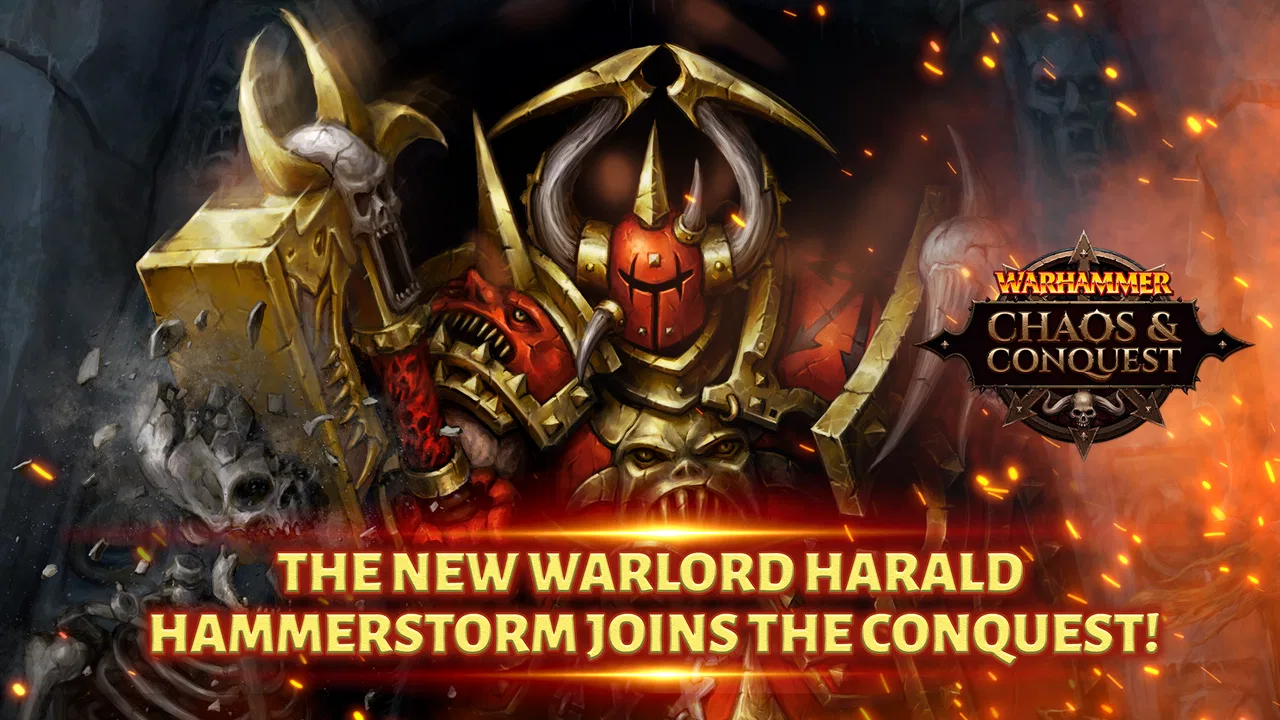
Warhammer: Chaos & Conquest
- 4.4
- Rating
- 1.00M
- Installs
- Free
- Price

 Analysis by App-foxy
Warhammer: Chaos & Conquest is the kind of strategy game that can look straightforward until the first few decisions start colliding. I found the opening easy to understand, but the real challenge appears when building a force, protecting a citadel, and deciding where limited attention should go next. It is free to play, developed by Tilting Point, and aimed at players who enjoy long-term planning more than quick matches.
That distinction matters. This is not a compact battle game that I can finish between two bus stops. It asks me to think about preparation, alliances, upgrades, and the consequences of leaving a vulnerable position unattended. The store summary focuses on forming a legion, joining an alliance, fighting strategy wars, and defending a citadel; in practice, those ideas work best when treated as one connected routine rather than separate activities.
The game has an average rating of 4.4 from around 46 thousand ratings, with more than 3 thousand written reviews and over 1 million installs. Those figures suggest a healthy audience, but they do not remove the need to understand its pace. I would recommend Warhammer: Chaos & Conquest to someone who likes persistent mobile strategy and can accept gradual progress. I would not choose it for a player looking for immediate, self-contained action.
You May Also Like

 Blood Strike: 2.5 Anniversary
Blood Strike’s Loadouts Turn Every Drop Into a Tactical Gamble
A close look at Blood Strike’s custom loadouts: how fast access to signature weapons reshapes its battle royale rhythm, rewards preparation, and narrows the gap between fights.

 Pandora - Music & Podcasts
Pandora’s Music Is Easy to Start, but Harder to Recover
Pandora’s strength is its low-effort path from a seed to a station. Its weak spot is how much confidence it asks you to place in connection, setup, and quiet recovery.

 8 Ball Pool
 Is Built on Rivalries, Rematches, and Routine
A close look at the rivalries, rematches, shared routines, and unanswered safety questions that turn a quick pool match into a persistent mobile community.

 Samsung Music
’s Quiet Strength Is Playing What You Already Own
Its reach comes less from spectacle than from dependable access to a personal library. That simplicity is both the app’s strongest retention engine and its ceiling.

 AccuWeather: Weather Radar
AccuWeather Review: A Quick, Clear Forecast for Everyday Decisions
For everyday plans, the best forecast is the one you can understand quickly. AccuWeather makes rain timing, radar, and local conditions easy to act on, with a few trade-offs.

 Hill Climb Racing
Why Hill Climb Racing Still Turns Crashes Into One More Run
A tiny car, a bumpy hill and one more upgrade: Hill Climb Racing keeps resurfacing because its simple chaos makes every near-miss feel personal.
More From Our News Desk



Where the early experience can become confusing
I use this section to explain why the opening can feel busy even when the basic actions seem clear. The key is to read each new screen as part of a larger plan, rather than treating every prompt as an urgent task; next, I’ll look at a few practical checks that make those early decisions easier to manage.
The opening choices are more important than they appear
My first practical lesson was not to treat the early game as a sequence of buttons to clear. The initial tasks are useful for learning the interface, but rushing through them without noticing what each screen is preparing can leave the rest of the session feeling scattered. I recommend pausing after each new system appears and asking what it changes: does it improve the citadel, strengthen the legion, support alliance activity, or prepare for conflict?
That simple habit prevents a common mistake: spending every available resource on the most visible upgrade. A stronger-looking building is not automatically the best next move if the rest of the force cannot support it. I had better results when I viewed the citadel as the center of a wider plan, rather than as the only thing worth improving.
Why alliance play changes the rhythm
The alliance element is not just a social extra for players who enjoy chatting. It changes how I judge risk. A solo-minded approach encourages me to protect my own position and wait, while alliance participation makes timing and coordination more important. Even when I am not leading anything, knowing what the group is doing helps me avoid acting at the wrong moment.
This is also where the game may feel less comfortable for independent players. If I want every decision to be completely self-contained, the broader strategy can feel demanding. On the other hand, players who enjoy planning with others may find that the alliance layer gives ordinary upgrades and defensive choices a clearer purpose.
The difference between a battle game and a campaign routine
Players coming from quick competitive strategy games may expect every session to end with a clear winner. Here, I found the more useful question was whether the account was in a better position for the next session. A quiet period can still be productive if it leaves the citadel safer, the legion better prepared, or the alliance better coordinated.
That makes the game suitable for people who enjoy checking progress repeatedly. It is less suitable for anyone who dislikes waiting for development, dislikes revisiting earlier decisions, or wants a complete tactical puzzle every time they open an app.
Setup checks that prevent avoidable frustration
Before settling into a routine, I consider the device, connection, and spending expectations together, since each can shape how comfortable the experience feels. A little preparation can prevent avoidable confusion, and the next section turns to what I do when preparation is not enough and a session still goes off course.
Check the device before blaming the game
The current version is 5.0.1 and requires Android 8.0 or later. That is a useful first check before installing or troubleshooting. If the device is running an older Android release, changing in-game settings will not solve the compatibility problem. On a supported phone, I would still make sure the operating system is reasonably up to date and that there is enough free storage for installation and future updates.
I also recommend closing demanding apps before the first longer session. A strategy game with a persistent world can be more sensitive to a crowded device than a small offline puzzle. If the game opens but feels unstable, testing it after a restart is a better first step than immediately reinstalling it.
Use a reliable connection for account progress
Because the game revolves around an ongoing citadel, legion, and alliance, I would avoid making important changes on an unreliable connection. A weak signal can make a screen appear slow or leave me unsure whether an action completed. Before tapping repeatedly, I check whether the interface is still responding and give the game a moment to finish communicating.
This is a small but valuable workflow change. Repeated taps can create confusion, especially when I am trying to start a task, claim a reward, or move between strategic screens. Waiting briefly and checking the resulting state is safer than assuming nothing happened.
Decide how you feel about purchases before playing seriously
The game is free to download, but its in-app purchases range from $0.99 to $99.99 per item. I would make a personal spending rule before becoming invested in a growing citadel. For me, the useful question is not whether a purchase exists, but whether I am comfortable with the pressure to speed up progress or strengthen a position more quickly.
Players who want a completely fixed-cost experience should think carefully before committing time. The Teen content rating is another reason to consider the intended audience and the type of conflict on screen. It is not a casual children’s title, and I would choose it for older players who are comfortable with a war-focused strategy setting.
Start with a repeatable session routine
I found the game easier to manage when each visit followed a simple order. First I checked the citadel and any unfinished development. Then I reviewed the legion and available strategic choices. After that I looked at alliance activity before making a decision that could affect my wider position.
This routine is more useful than opening the game and tapping whichever notification is most prominent. It reduces the chance of neglecting defense while chasing a tempting offensive action. It also makes short sessions feel purposeful, even when I only have time to review progress rather than begin a major conflict.
Recovering when a session or plan goes wrong
A poor session does not have to become a poor long-term plan: I find it more useful to isolate the immediate problem, then make one deliberate correction at a time. That might mean reviewing priorities instead of chasing a quick fix, which leads naturally to the distinction in the next section between design friction and an actual issue.
When a task appears stuck
If an action seems frozen, my first response is to stop tapping and inspect the screen carefully. I check whether the task is waiting for a prerequisite, whether another activity is already occupying the relevant slot, and whether the connection has become unstable. Many apparent failures in management games are really unclear states or delayed updates.
If the interface still does not update, I leave the game normally, reopen it, and check the same screen again. I prefer this gradual approach because forcefully changing several things at once makes it harder to know what solved the problem. A restart is a reasonable general troubleshooting step; it is not a reason to assume that progress has been lost.
When a poor strategic decision cannot be undone
Recovery is not always technical. Sometimes I simply committed resources in the wrong direction. In that situation, I would not try to compensate by making an even larger impulsive move. I would return to the basics: stabilize the citadel, review the legion’s condition, and identify the next upgrade or action that supports more than one goal.
This is one of the game’s more interesting trade-offs. A mistake can feel expensive because the world continues around it, but that also gives the recovery process meaning. The best correction is usually a sequence of sensible choices, not a dramatic attempt to erase the previous one.
Use short sessions to regain control
When my plans became messy, shorter visits helped. Instead of trying to solve the entire account in one sitting, I used one session to inspect the citadel, another to understand alliance activity, and another to prepare the legion. Separating those jobs made it easier to see which problem was actually blocking progress.
This approach is especially useful for new players who feel overwhelmed by several open objectives. It also suits everyday use. If I am checking the game during a lunch break, I can review one area carefully rather than making rushed decisions across the whole strategy layer.
A realistic daily scenario
Imagine opening the game after work with only ten minutes available. I would first check whether the citadel has an unfinished development or a defensive concern. Next, I would review the legion and avoid starting an action that requires more attention than I can give. Finally, I would look at alliance activity and decide whether my next contribution should be immediate or saved until I can coordinate properly.
That scenario shows the game at its best. It rewards a player who can turn a small amount of time into a useful check-in. It also shows the limitation: if I want a complete battle and a decisive conclusion in those ten minutes, this is probably the wrong type of strategy game.
When the problem is not really the game
When frustration appears, I first ask whether the game is failing to respond or whether its slower, persistent strategy loop simply clashes with what I wanted to play. That distinction helps me choose a useful next step rather than repeating the same actions, and it sets up a closer look at when a different kind of strategy game may suit me better.
Separate technical trouble from design friction
Not every frustrating moment indicates a malfunction. Slow progress, a need to revisit the same strategic screens, or uncertainty about the best upgrade can be part of the design rather than a technical fault. I found it helpful to ask whether the game had stopped responding or whether it was simply asking for a slower decision.
A genuine technical issue is more likely when the app closes unexpectedly, fails to load consistently, or does not reflect a completed action after the connection and device have been checked. Design friction feels different: the screens work, but the priorities are difficult to judge. The solution to the second problem is learning the game’s rhythm, not repeatedly reinstalling it.
Know when your expectations are the mismatch
Someone accustomed to fast arena games may find the pace frustrating even when everything is functioning correctly. Likewise, a player who prefers a traditional single-player campaign may dislike the alliance emphasis. In both cases, the game is doing what its structure suggests; it is simply not matching the player’s preferred kind of strategy.
I would skip it if I dislike persistent progression, social coordination, or purchase-based acceleration. I would also be cautious if I need a game that works equally well with no connection or with only occasional attention. A conventional offline tactics game would be a better alternative for those needs.
How it compares with familiar strategy alternatives
Compared with a quick match-based strategy title, this game places more weight on the condition of an ongoing base and the choices surrounding a legion. Compared with a purely offline tactics game, it offers a stronger sense of a continuing world and alliance involvement, but demands more patience and regular checking.
That comparison helped me place it correctly. It is not trying to replace a short puzzle, a traditional campaign, or a simple city builder. Its appeal comes from combining Warhammer’s conflict-focused atmosphere with a longer management loop. Players who enjoy that combination will find more to think about than the store summary initially suggests.
My practical verdict after settling into the routine
After learning to treat each session as part of a larger plan, I enjoyed Warhammer: Chaos & Conquest more. The strongest part is the connection between citadel defense, legion preparation, and alliance decisions. None of those layers feels as useful in isolation, but together they create a reason to return and reassess the situation.
The main weakness is the commitment it asks from the player. Progress is easier to appreciate when I accept a gradual pace, while players seeking instant action may interpret that same pace as unnecessary waiting. The purchase range also means I would approach the free-to-play structure deliberately rather than casually tapping through every acceleration option.
Tilting Point’s game is available free of charge, with a Teen age rating and more than a million installs. Its 2019 release gives it an established place in the mobile strategy space, while the current 5.0.1 version is the one I would check against the device requirements before starting. Those details matter less than the central question: do I want a continuing war strategy routine or a quick battle app?
My answer is positive for the right player. I would recommend it to a Warhammer fan who enjoys planning, to a strategy player who likes alliances, and to anyone comfortable making progress over repeated sessions. I would point a friend toward another genre if they want a self-contained campaign, instant victories, or no pressure to keep checking a developing position.
The best way to approach it is patiently: protect the citadel first, understand what the legion needs, and treat alliance decisions as part of the strategy rather than decoration. Once that mindset is in place, the game becomes much easier to read, and its slower rhythm starts to feel intentional instead of inconvenient.
FAQs for Warhammer: Chaos & Conquest
01What is Warhammer: Chaos & Conquest?
Warhammer: Chaos & Conquest is a strategy game set in the Warhammer universe, where you build and manage a stronghold, recruit powerful armies, research upgrades, and compete against other players. The game combines base development, resource management, real-time progression, and large-scale battles. It is designed for fans of persistent online strategy games who enjoy planning, alliances, and long-term advancement.
02Is Warhammer: Chaos & Conquest free to download and play?
Yes, Warhammer: Chaos & Conquest can generally be downloaded and played for free on supported mobile devices. However, it includes optional in-app purchases that can provide resources, upgrades, speed-ups, or other conveniences. Progress is possible without spending money, but players who purchase premium items may advance more quickly. A stable internet connection is also required for most gameplay features.
03Does the game require an internet connection?
Yes, Warhammer: Chaos & Conquest is primarily an online game and requires an active internet connection. Your city, army, resources, events, and alliance activities are synchronized with online servers, so offline play is not normally available. A reliable Wi-Fi or mobile data connection is recommended, especially during battles, timed events, alliance coordination, and other activities where losing connection could interrupt your progress.
04What can players do in Warhammer: Chaos & Conquest?
Players can construct and upgrade buildings, gather resources, train troops, research technologies, unlock commanders, and expand their influence across the map. Much of the experience revolves around preparing armies and choosing when to attack, defend, scout, or cooperate with other players. Joining an active alliance is especially useful because group objectives, shared support, and large-scale events add considerable depth to the strategy.
05Is Warhammer: Chaos & Conquest suitable for casual players?
The game can suit casual players, but it is built around timers, regular resource management, and ongoing online activity. You can check in briefly to collect resources, begin upgrades, and manage your forces, although more competitive progress usually requires frequent attention. New players should expect a learning period and may benefit from joining a helpful alliance. Patience is important if you prefer not to make in-app purchases.
Pros
- Strong Warhammer atmosphere with recognizable factions and lore.
- Large alliance system encourages cooperation and coordinated attacks.
- Frequent events provide extra objectives beyond the main campaign.
- Base development offers meaningful choices for long-term progression.
- Runs well on many modern Android and iOS devices.
Cons
- Progress can feel slow without spending premium currency.
- Combat relies heavily on timers and selected formations.
- The interface may seem overwhelming for newcomers.
- Some upgrades require substantial resource grinding.
- Competitive servers can favor highly active or paying alliances.

Warhammer: Chaos & Conquest
Gallery